Mac App Store ScreenForge · Native for macOS 15+
Record the work.Lose the pauses.
Capture a display or precise area with Mac audio, microphone and webcam. Refine it in one native workflow, then export a new MP4.
No account. No cloud upload. No tracking.
- 01FrameDisplay or area
- 02CapturePicture, sound, camera
- 03RefineTrim, crop, Auto Cut
- 04ExportA new MP4
Before recording
Set the frame
before you roll.
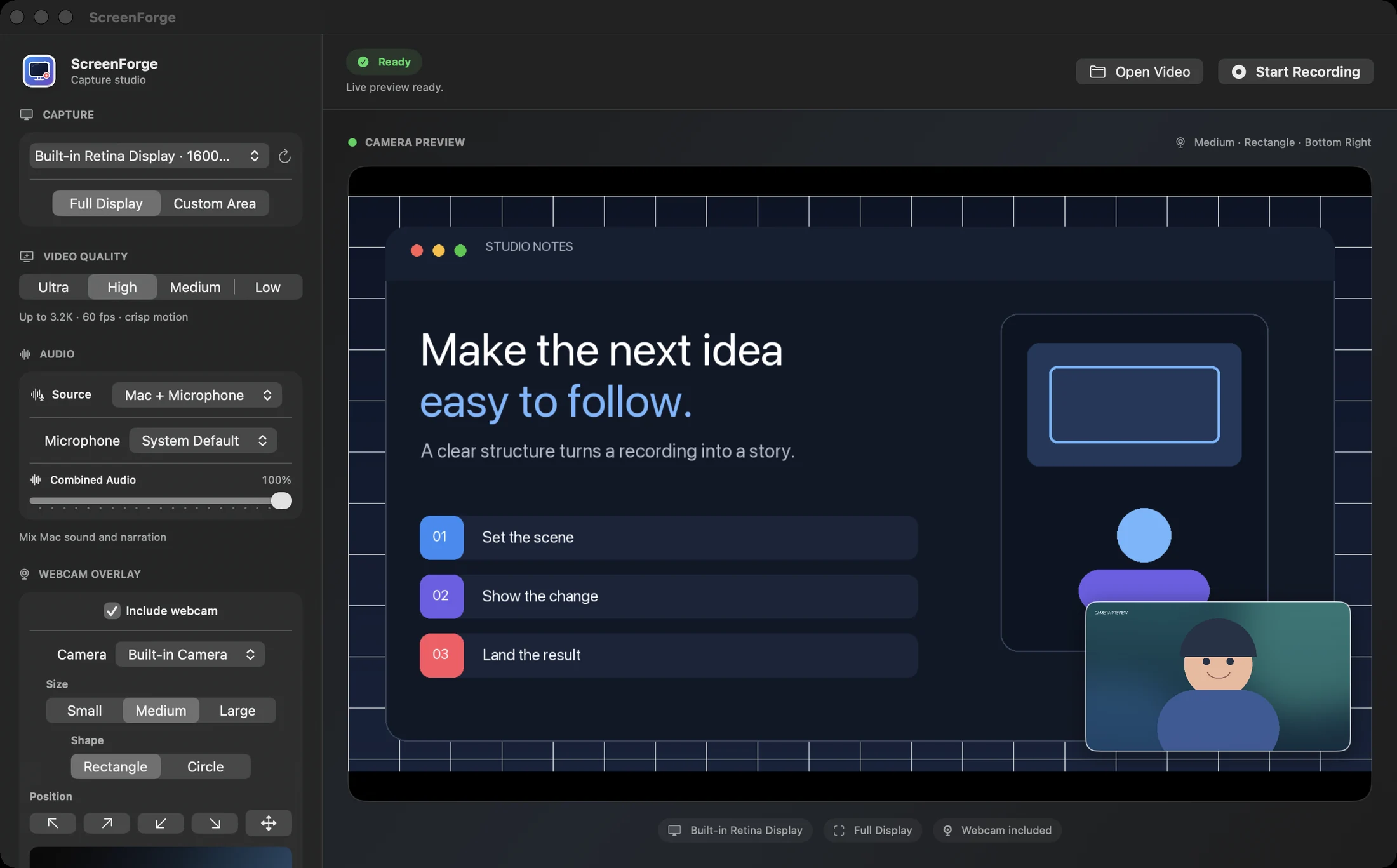
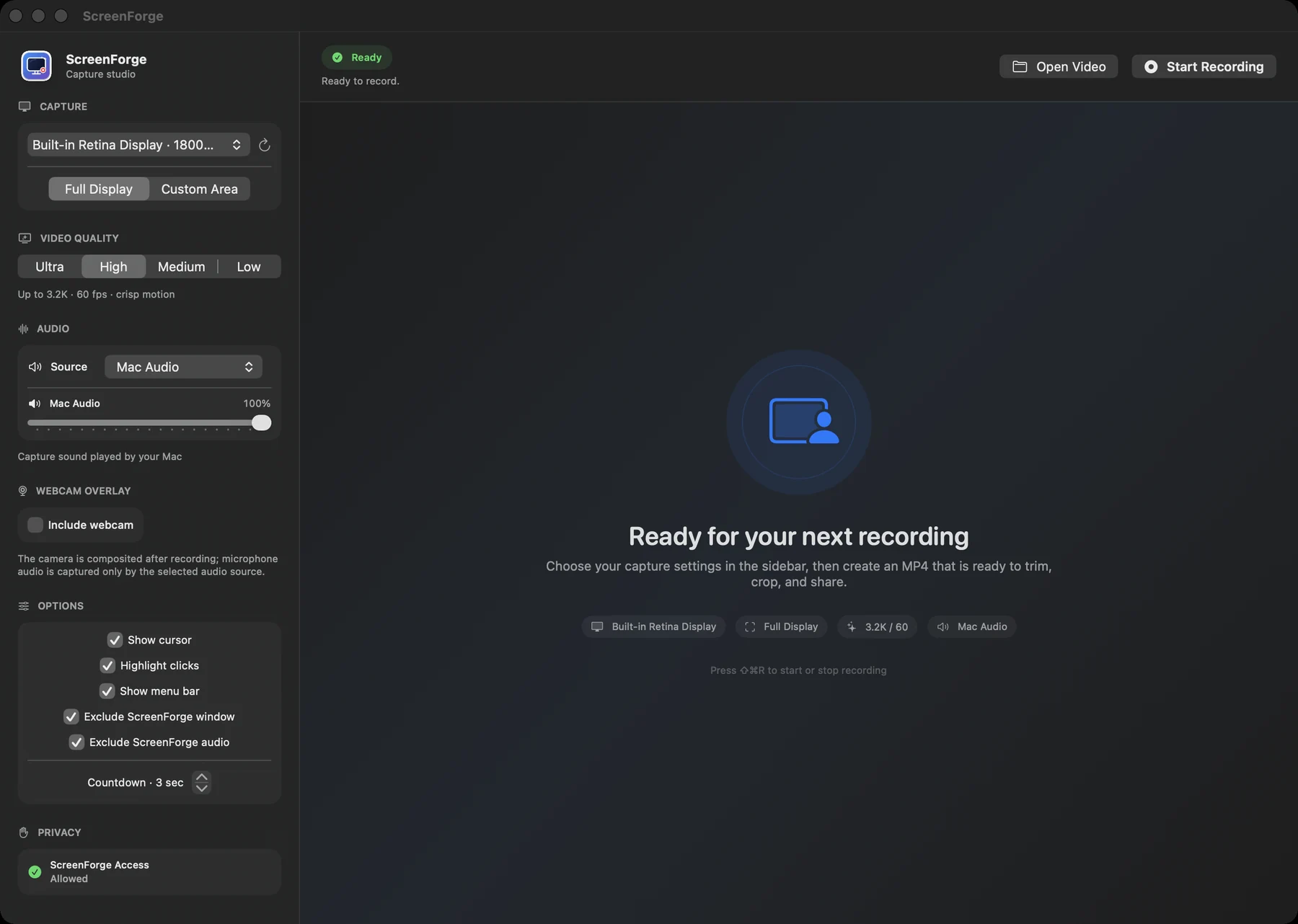
Choose one display, take the whole screen or draw a custom area, then set quality, frame rate, sound, camera and cursor behavior in one place.
- Picture
- Full display or a custom rectangular region. Up to 60 fps.
- Sound
- Mac audio, microphone, both together or no audio.
- Camera
- Circle or rectangle, three sizes, preset or custom position.
- Focus
- Cursor visibility, click highlight, menu bar and self-exclusion.
After recording
Edit the take.
Keep the source.
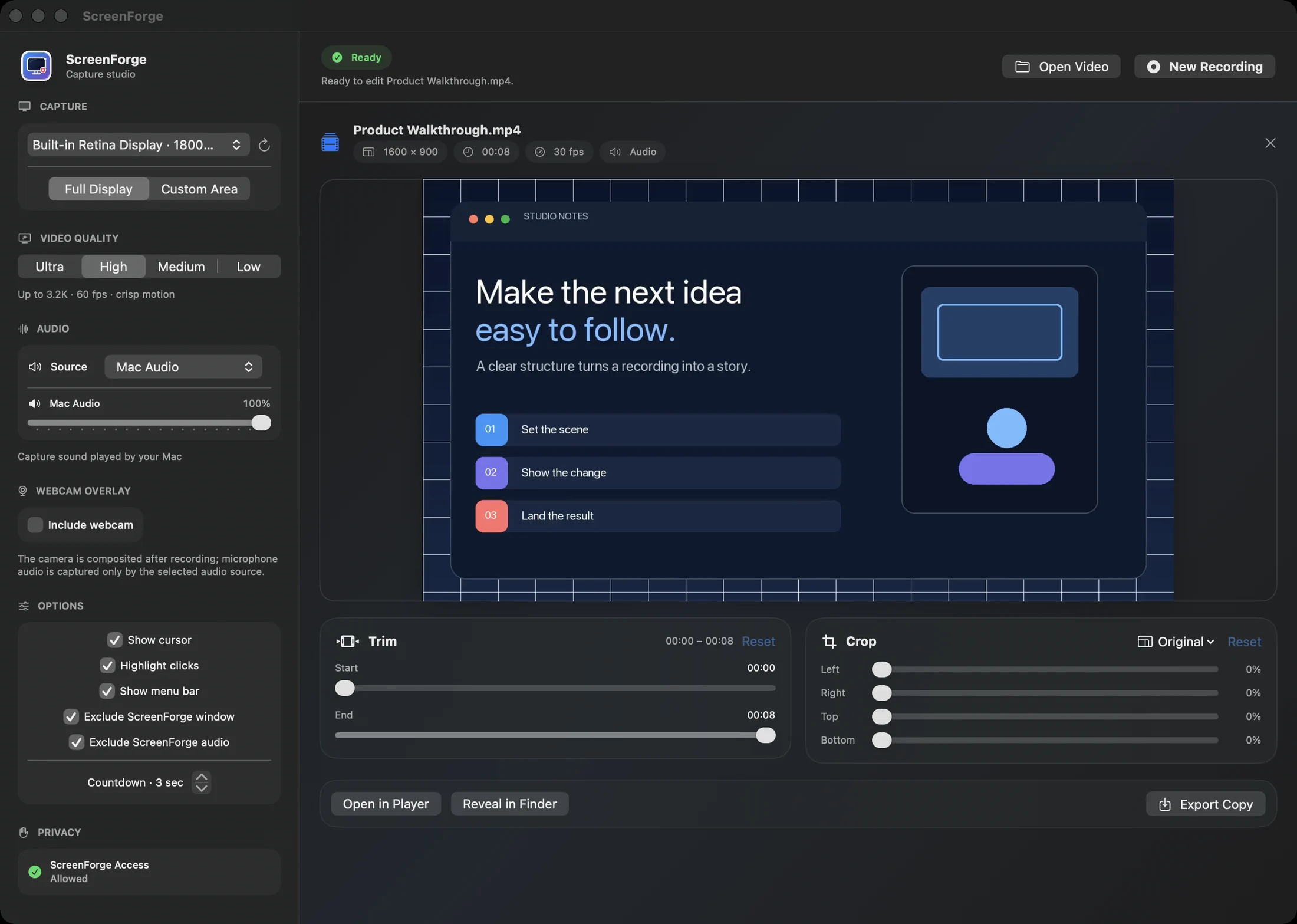
Trim the edges, crop for the destination and preview the result. ScreenForge writes edits to a new file; the original recording stays untouched.
Local audio analysis
Quiet sections, mapped—not guessed.
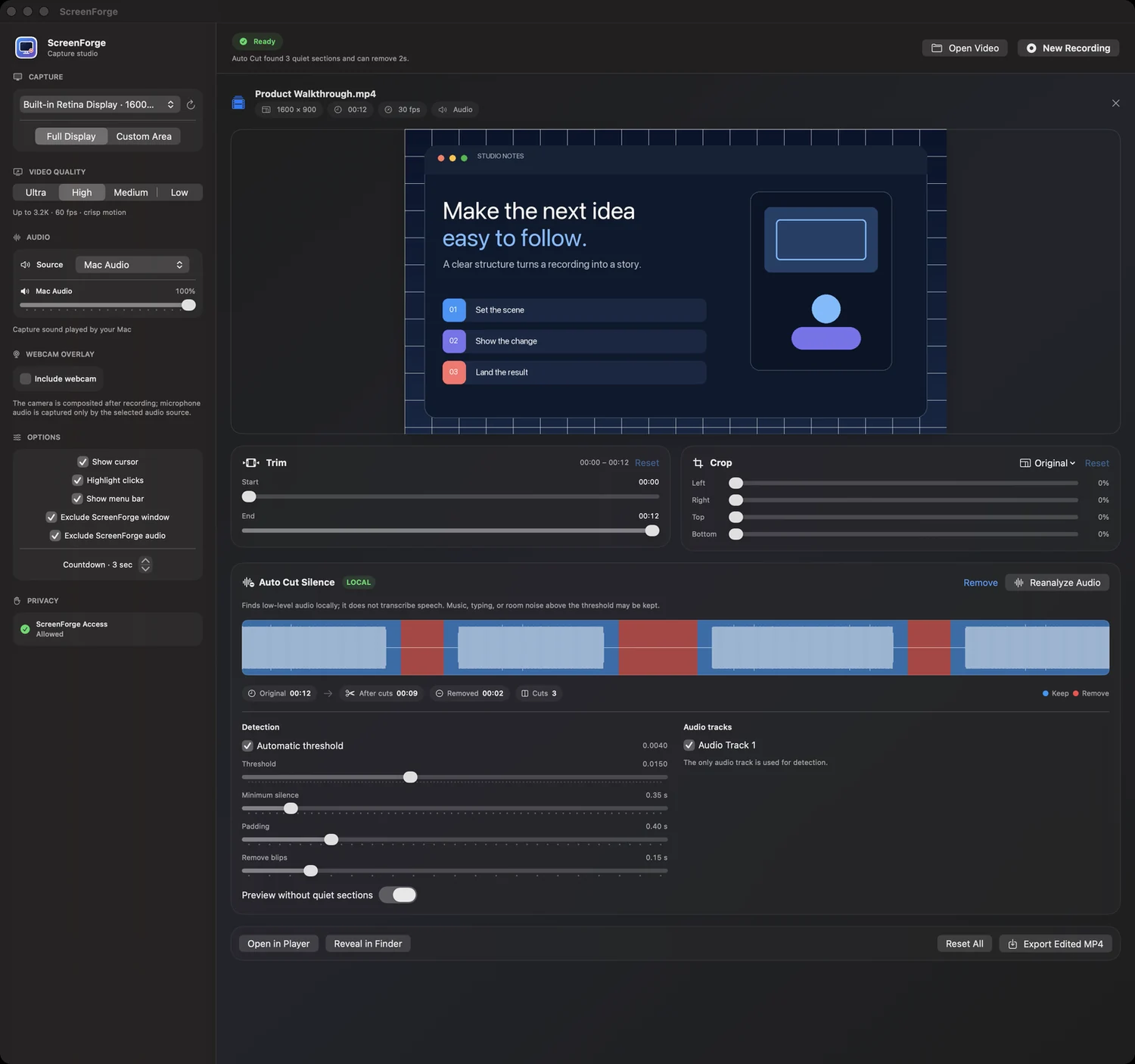
Auto Cut Silence measures audio levels locally and builds a non-destructive plan. It never transcribes speech, never uses semantic AI and never uploads the recording.
- 1
Analyze Choose the audio tracks and detect quiet ranges.
- 2
Tune Set threshold, minimum silence, padding and blip removal.
- 3
Override Click any segment, preview the cuts, then export.
The complete workflow
One minute,
start to finish.
Watch capture, webcam, trim, crop, Auto Cut Silence, preview and export in the real app.
- Capture setup
- Built-in editor
- Auto Cut Silence
- Export
YouTube opens only when you choose the link; this page makes no request to YouTube.
64 secEnglish narration + captions1080p local playback
Private by design
Your recording
is not a service.
There is no ScreenForge account, cloud workspace, ad network, analytics SDK or tracking pixel. Nothing leaves your Mac unless you export it somewhere yourself.
- Capture
- Written locally to the destination you choose.
- Auto Cut
- Audio-level analysis runs entirely on device.
- Export
- Temporary local staging protects existing files.
- Website
- No cookies, scripts, analytics or embedded trackers.
ScreenForge for Mac
- System
- macOS 15 or later
- Capture
- ScreenCaptureKit · AVFoundation
- Ultra
- Native source pixels, up to 6016 px long edge and 60 fps; HEVC when available
- High
- Up to 3.2K/60 · H.264
- Output
- MP4 · local validated export
ScreenForge for Mac
Record. Refine. Share.
Native capture and editing, without turning your screen into cloud data.